 Reviewed by JILILUCK Brand Team
 Your JILILUCK App — Mobile Casino Experience, Wherever You Play
Enjoy a convenient way to access JILILUCK games from your smartphone. The mobile experience lets Philippine players sign in, explore available casino titles, review member features and check current rewards through supported Android and iOS access. Game rules remain available in the relevant game window, while account activity and betting results can be reviewed from the member area. Please check the latest promotion terms before taking part.
Select the Android APP or IOS LITE-APP option that matches your device. Access availability and current requirements may vary, so review the information shown in the member area before installation.
Your JILILUCK App Mobile Experience
JILILUCK gives Philippine players a convenient way to explore games and access their accounts on mobile. Use a smartphone browser or the available app options to check games, promotions, account tools and member features wherever you have a stable internet connection.
Made for Mobile Play
The mobile experience is designed for easy navigation on smaller screens, helping you move between game categories, account areas and current promotions with less clutter. Game availability and performance may depend on your device, connection and the individual game provider.
Keep Up With Current Promotions
Check the promotions area and your member account regularly for the latest available offers. Each promotion may have its own deposit threshold, eligible games, turnover requirement, claim limit and validity period, so review the current terms before participating.
Secure Account Access
Sign in through the JILILUCK mobile experience using your registered account details. For better account protection, keep your login password and fund password private, change the initial password after your first login and avoid sharing confidential account information with anyone.
Convenient PHP Deposits
JILILUCK supports deposits through bank transfer and other payment options shown in the Member Center. Available methods may vary according to your country of residence. Deposits are open 24 hours, with a minimum of ₱100 and a maximum of ₱49,999, or the equivalent amount. Balances usually arrive within five minutes; if your balance is still missing after 20 minutes, contact Customer Services.
Explore Games on Mobile
Browse a broad selection of casino, live, fishing, sports and PVP titles through the mobile experience. Available examples include Super Ace, Fortune Gems, Jackpot Bingo, Crazy Time, Speed Baccarat A, Ocean King Jackpot, Mines, Tongits Go, Pusoy Go and Blackjack. The catalogue includes 221 game records from 33 suppliers, while availability can vary by title and platform.
Mobile Customer Support
When you need assistance with account access, payments, game rules or a transaction, open Customer Services through the website or your member area. If a connection drops during a game, the game history is checked first, and an interrupted game may resume after your next login. Contact support promptly if the issue continues.
How to use Get Started JILILUCK on Mobile
Choose the mobile option that matches your device, then follow the on-screen instructions. JILILUCK can be accessed through a smartphone browser, with app options available for Android and iOS devices. Always use the official page and check the latest instructions before installing or signing in.
Android users can access the JILILUCK mobile app option provided on the official page. Review your device permissions and security settings before installing any app file, and only continue when you understand and trust the installation source. Keep your device updated and never share your JILILUCK login details.
Select the Android App Option
Open the mobile download area and choose the Android app option. Follow the prompts shown on your device to complete the installation, or use your smartphone browser if you prefer not to install an app.
Review App Installation Permissions
If your device asks for permission, open the security settings and allow installations from this source for your browser. This permission is usually needed only once. Return to the installation screen and select "Install" to proceed.
Install the JILILUCK Android App
Select "Install" when the prompt appears. Wait for the installation to finish, then look for the JILILUCK icon on your device. Open the app once it has been added to your home screen.
Open the App and Sign In
Select the JILILUCK icon to launch the app, then enter your registered mobile number and password. New members can choose "Register" to create an account. Account access and gaming are for Philippine adults aged 21 and above.
Set Up Faster Sign-In
After signing in, review the available security and access settings in your account. Use only the sign-in options shown on your device, and keep your password and fund password private.
On iOS devices, JILILUCK can be accessed through the mobile web experience and added to your iPhone or iPad home screen. This gives you a convenient shortcut to your account, games, promotions and member features without needing a separate download link.
Open JILILUCK in a Mobile Browser
On your iPhone or iPad, open a supported mobile browser and visit jililuck.quest. The Mobile H5 experience lets you access your JILILUCK account directly from your device.
Choose the Share Option
Open the browser sharing menu and select the share icon. The menu may appear at the bottom or top of your screen, depending on your device and browser settings.
Select "Add to Home Screen"
Find and select "Add to Home Screen" from the sharing menu. Keep the shortcut name as JILILUCK or edit it as preferred, then confirm by selecting "Add".
Open JILILUCK from Your Home Screen
The JILILUCK shortcut will appear on your iPhone or iPad home screen. Select it whenever you want to return to the mobile site, then sign in with your account details before accessing games or account services.
Why Use Mobile Access Mobile Convenience Compare the Options
| Feature | JILILUCK App | Mobile Browser |
|---|---|---|
| Game Access | Convenient mobile access | Depends on your connection |
| Member Updates | Available where supported | Not available in every setup |
| Security Options | Available where supported | Not available in every setup |
| Device and browser dependent | Available where supported | Not available in every setup |
| Data Use | Depends on game and connection | Depends on game and connection |
| Mobile Screen Experience | Available where supported | Varies by device |
| Customer Support Access | Available where supported | Available where supported |
| Payment Options | Available where supported | Available where supported |
The JILILUCK App Your Guide to Mobile Access
The JILILUCK app and Mobile H5 access give Philippine members a convenient way to reach their account from a smartphone or tablet. Android users can use the Android APP, while iPhone and iPad users can use the iOS LITE-APP or mobile browser access where available. The platform brings account access, game discovery, promotions and member services together in one mobile journey. Deposit options may vary by location, so check the Member Center for the methods currently available; supported options include bank transfer and other payment solutions. Deposits start from ₱100 and can go up to ₱49,999, with balances usually updated within five minutes. If a deposit has not appeared after 20 minutes, contact customer support. JILILUCK games involve risk, so play only if you are 21 or older, set a budget, and participate responsibly.
The JILILUCK app gives Philippine players a convenient way to access their account and explore games from a mobile device. Android users can download the Android APP, while iPhone users can use the IOS LITE-APP. Mobile H5 access is also available through a compatible browser, so you can choose the option that best suits your device and connection. Before playing, confirm that you are 21 or older and take part responsibly.
Manage Deposits and Withdrawals Through the JILILUCK App
The JILILUCK app provides a practical mobile route to account payments. Available deposit options may differ according to your country of residence, so please check the Member Center for the methods currently offered to your account. Supported options include bank transfer and other payment solutions. The minimum deposit is ₱100, or the equivalent amount, while the maximum is ₱49,999, or its equivalent. Deposits are available 24 hours a day, and funds usually reach your balance within five minutes. If your balance is still missing after 20 minutes, contact Customer Services for assistance.
You can submit a withdrawal request through your member account and review the applicable limits before confirming it. Requests may be placed from 00:05:00 to 23:29:59 in Philippine Standard Time, and JILILUCK generally processes them within five minutes, subject to the payment gateway. In some cases, funds may be credited in as little as three seconds when the third-party payment company supports that speed. No withdrawal fee is charged. VIP withdrawal limits apply, including a ₱100 minimum per request, with daily limits and request allowances depending on your VIP level. Transaction records can be checked for up to 30 days, while betting results are available under Members and Betting Record.
Explore JILILUCK Games on Mobile
The JILILUCK mobile experience brings together a broad selection of casino, live, sports, fish, and PVP titles. The catalogue contains 221 game records from 33 suppliers, with options such as Super Ace, Fortune Gems, Mines, Jackpot Bingo, Crazy Time, Speed Baccarat A, Ocean King Jackpot, Pusoy Go, Blackjack, Andar Bahar, and Texas Hold'em. Some titles support试玩 access, while others are available for account play according to the game listing. Open JILILUCK through the Android APP, IOS LITE-APP, or Mobile H5 browser access to discover the games available on your device.
Game access and availability may change as the JILILUCK catalogue is maintained. For the most accurate selection, open the relevant game section from your mobile account and check the current listing. Game rules are displayed inside the respective game window, and your results history can be reviewed through Members and Betting Record. If your connection drops during a game, JILILUCK will first check the game history; where a game ends prematurely, it may resume after your next login. Contact Customer Services promptly if the result or session does not appear correctly.
Account Privacy and Security on Mobile
JILILUCK treats account privacy as an important part of the member experience. Personal information is owned by JILILUCK and is not provided, abandoned, or sold to third parties. Personal data is destroyed when it is no longer needed to be retained. To help protect your account, change your initial login password after your first sign-in, set a separate fund password, and keep both credentials private. Never share your login password, fund password, or other confidential account details with anyone, even if they claim to be assisting you.
When using the JILILUCK app or mobile browser, review your account and payment details carefully before submitting them. A username cannot be changed after submission, so select one that is memorable and secure. Bank details must also be entered accurately; the registered cardholder name must remain consistent, and submitted information may not be editable without contacting Customer Services. JILILUCK mobile access is intended for Philippine adults aged 21 and above. Set a personal spending limit, avoid chasing losses, and stop playing if it is no longer enjoyable.
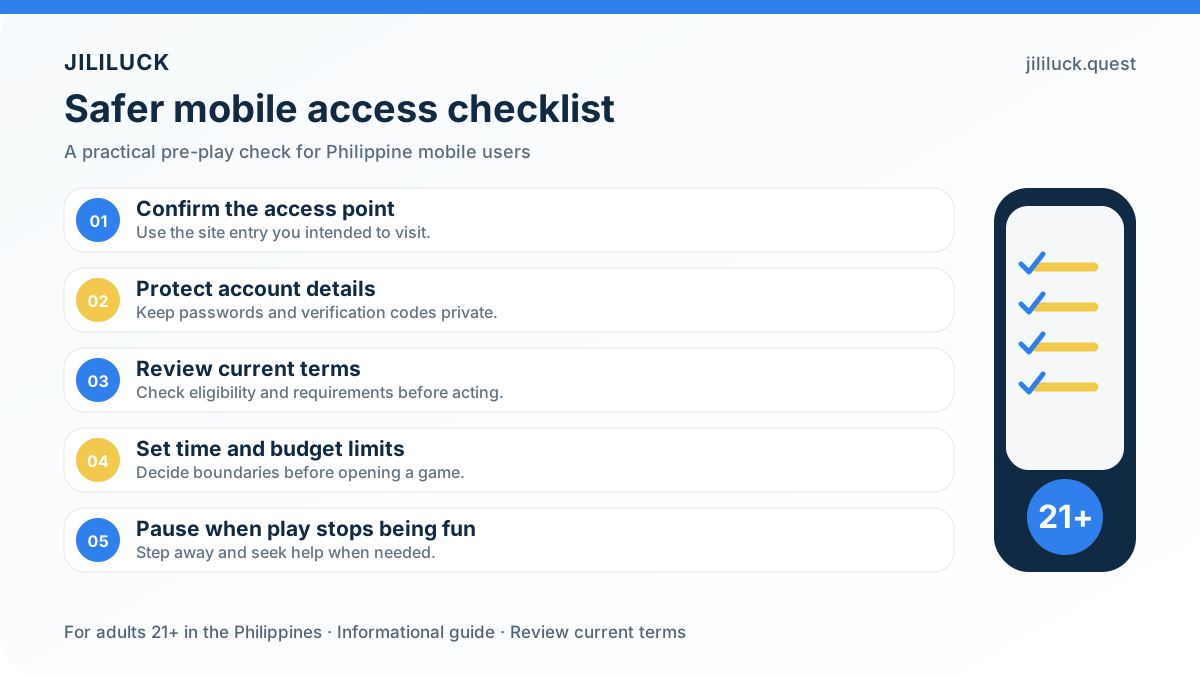
For safer access, use the JILILUCK app entry provided through the official jililuck.quest website. Avoid APK files or download links from unknown sources, as unofficial installers may put your account details and device security at risk.
Responsible Gaming with the JILILUCK App
JILILUCK mobile access is intended for Philippine adults aged 21 and above. Keep play within a personal budget, take regular breaks, and stop when gaming is no longer enjoyable or manageable. Review the responsible gaming guidance and contact Customer Services if you need help with account or participation concerns.
Player Feedback on JILILUCK Mobile Access JILILUCK App
Player experiences can differ by device, connection quality, game type, and account activity. Use the JILILUCK app or mobile browser that works best for your setup, and check each game window for its available rules and instructions.
Before installing any mobile application, confirm that the download source is the JILILUCK website and review the requested permissions on your device. Never share your login password, payment password, or other confidential account details.
Mobile access makes it easier to check available games, account messages, and current promotions while you are on the go. Promotion availability and conditions may change, so read the active terms before taking part.
JILILUCK App Frequently Asked Questions
Download the JILILUCK App and Play on the Go
The app is available for Android and iOS, while mobile browser access gives you another way to enjoy JILILUCK games. Deposit options may vary by location, so check the Member Center for the payment methods currently available to your account. Terms, game availability and promotion conditions apply.